
For parents & players
Track your player’s game. Get a report worth sharing.
Follow your own player from the stands with a few taps when your player is in the game. When the game ends, the report is ready.
Free to start · No download · Multi-Sport

Three steps, from the bleachers
1
Open it and name your player
It runs on your phone or tablet’s browser. Enter your player and the opponent, and you are tracking.
2
Tap what happened
For example, batting, pitching or fielding, in plain words. Big buttons, one thumb, and it keeps working with no signal.
3
End the game, get the report
A visual report of your player’s game, with stats, charts, a short summary and your notes. Save it, send it to family or post it on social media.
You only track your own player, so nobody has to be the official scorekeeper.
Built for the bleachers
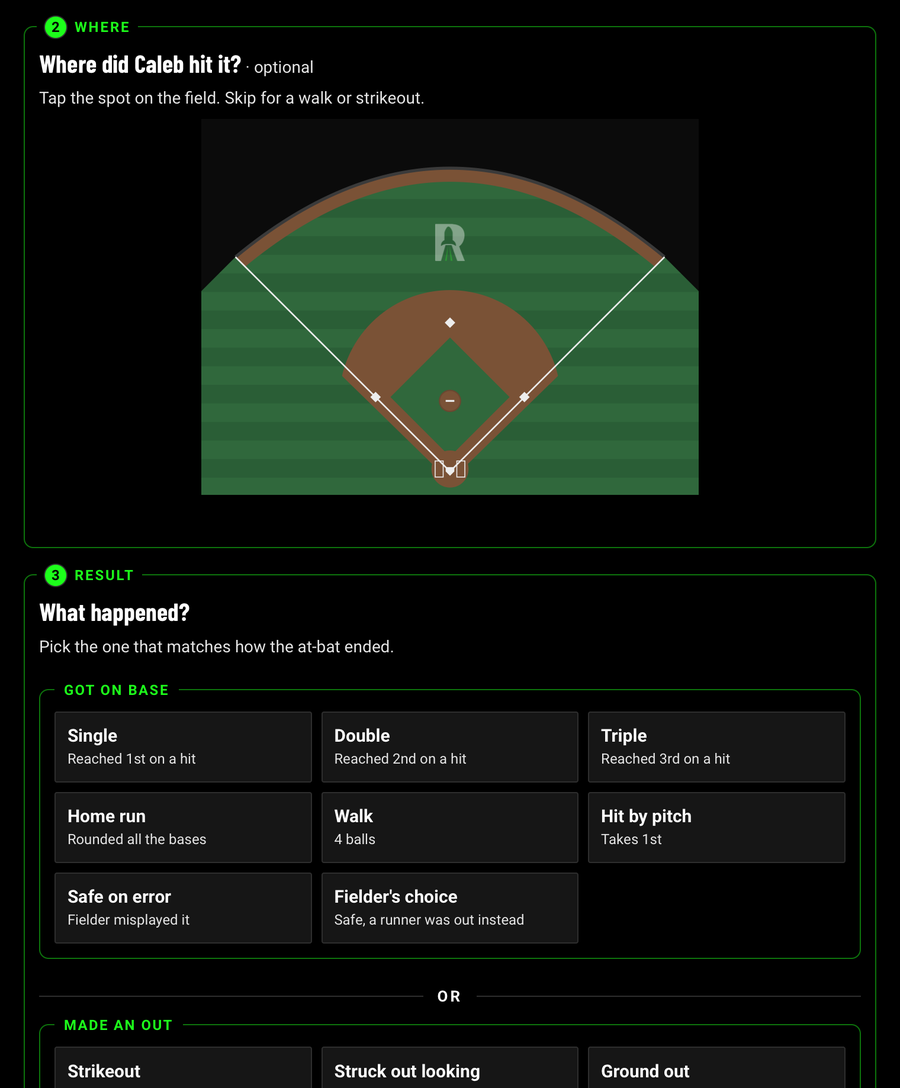
Batting in plain words
Tap where the ball went, then what happened. No scorebook codes.
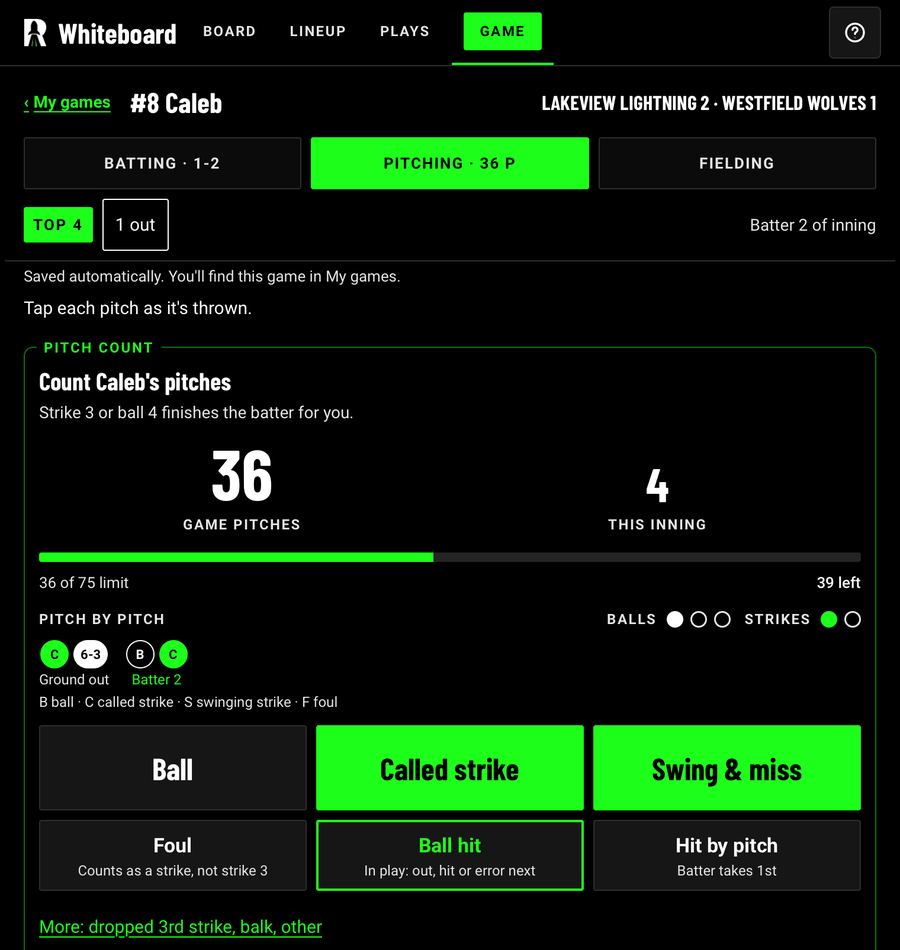
Pitching, one tap per pitch
A running pitch count with the limit in view.

Light mode for bright sun
Switch to Light, Dark, or match your phone.
After every game
The game report
Stats, charts and field diagrams for your player’s game, with a short summary on top. This is a sample.

The summary
The whole game in a few sentences.
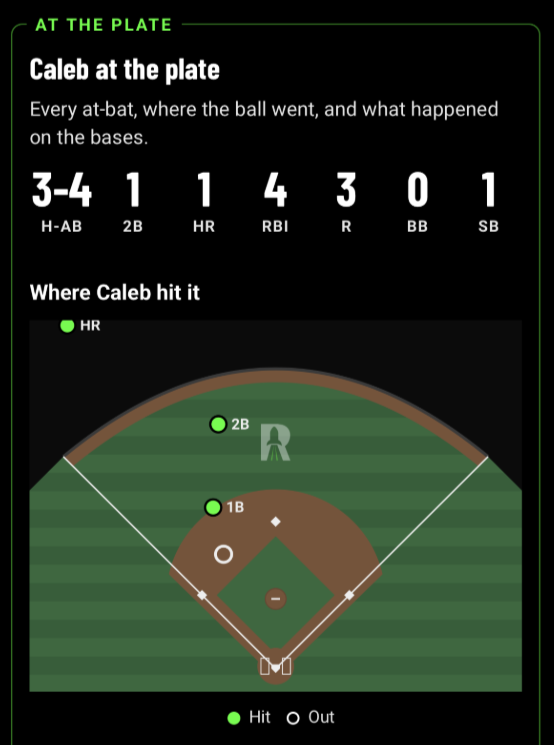
At the plate
Every at-bat, and where each ball went.

On the mound
Pitch count, strikes and each inning.
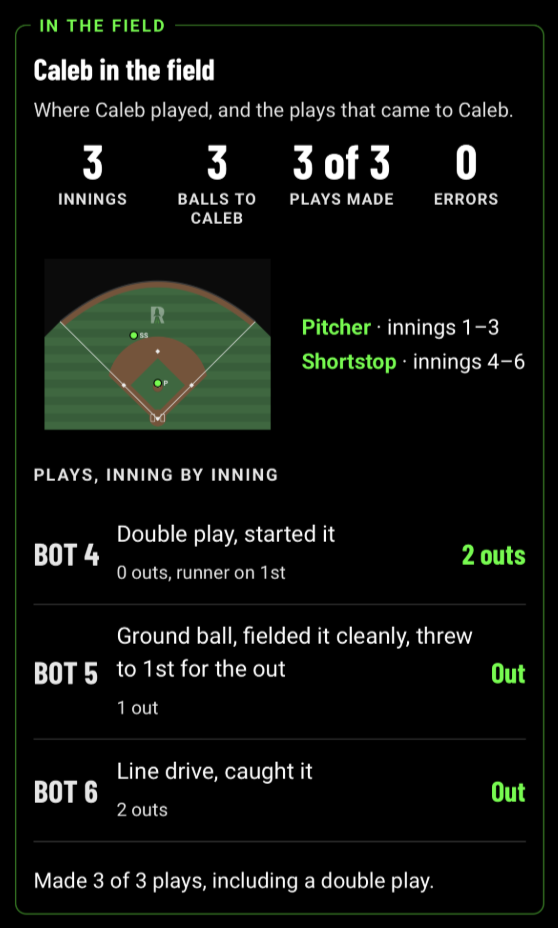
In the field
Where they played and the plays they made.
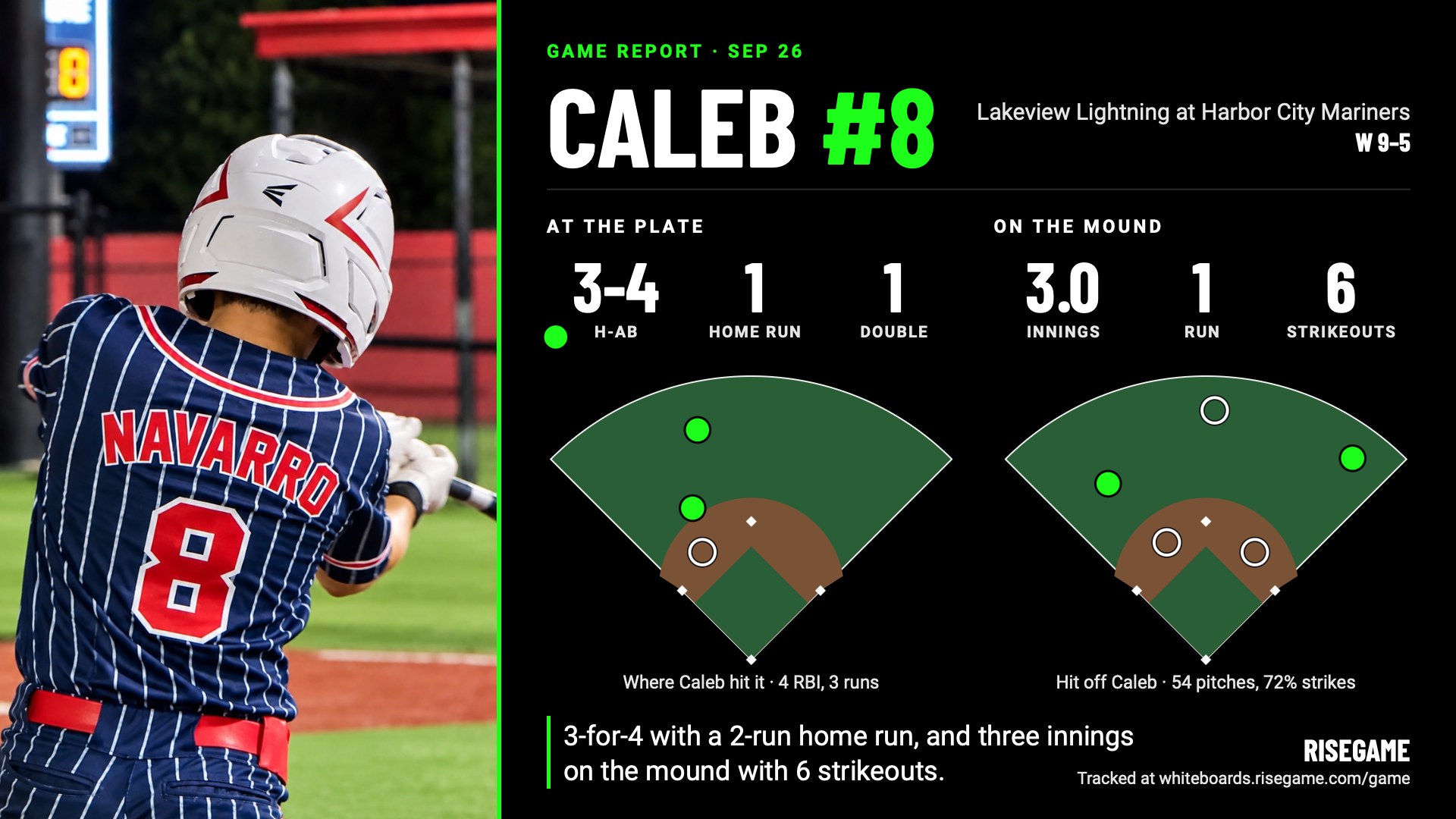
Made for posting
The social image
- The headline stats and both hit charts in one picture
- Add one action photo from the game
- Comes wide or tall, sized for social media
- Your notes never appear on it unless you switch them on
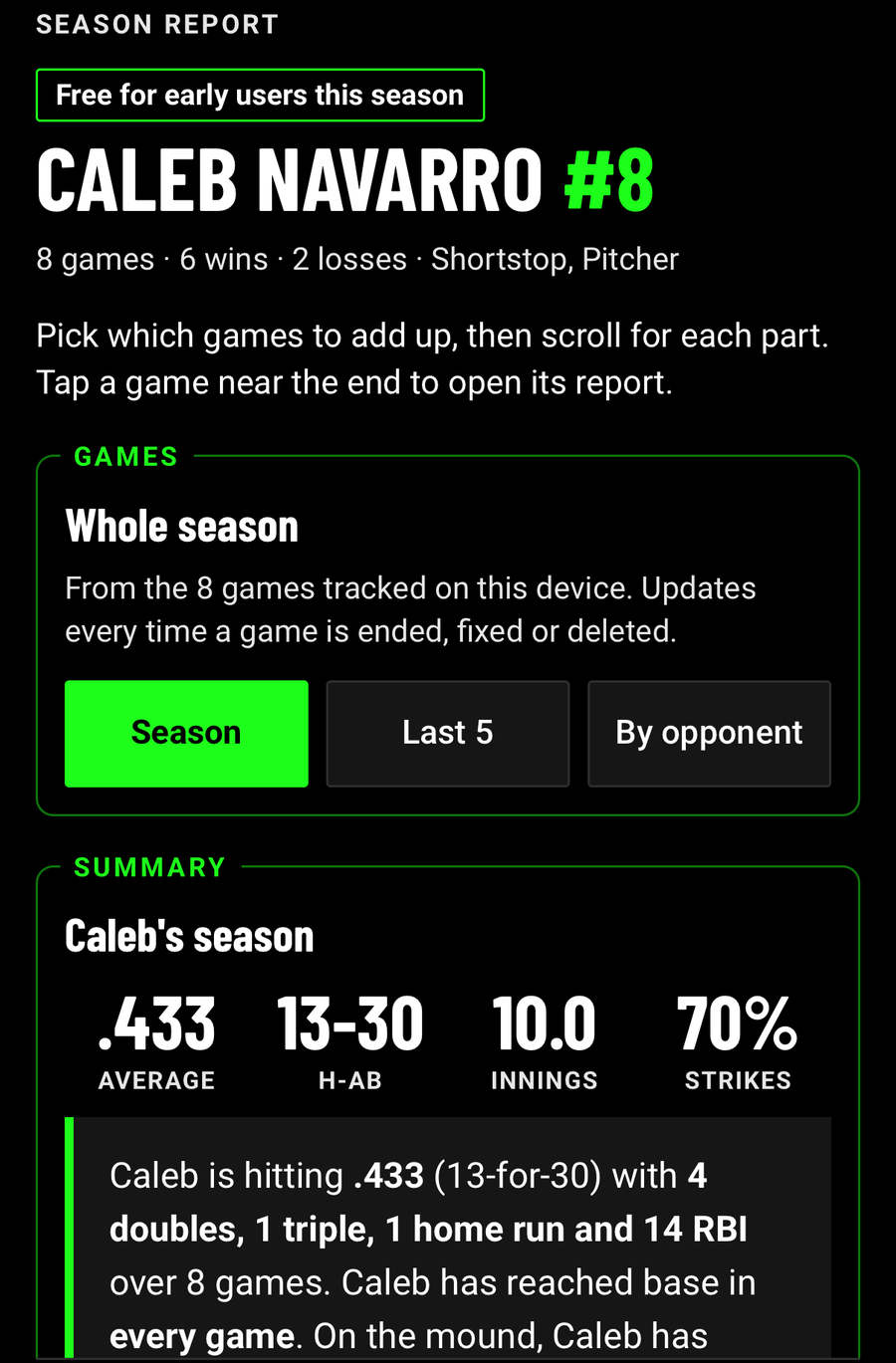
The season report
- Updates itself every time you finish a game
- Season totals for data tracked in games
- Every game in one list, each with its own report
- View the whole season, the last 5 games, or one opponent
Tip: add it to your Home Screen so it is one tap away at the field.

Elevate · iOS and Android · All season
Track how your athlete is growing
- Track anything that matters to your athlete: a number, an accuracy ratio or a time
- Get drills and workouts your coach assigns
- Receive your tryout report here when your league uses RiseGame

When your league uses RiseGame
These come from your league. They send you the link, and you get immediate access.
GroundsPal
Register and pay online
Sign up all your kids in one checkout, with waivers handled on the way.
Tryout Scheduler
Pick your own tryout slot
Choose, move or cancel a time yourself, and get reminders before the day.
Tryouts App
A tryout report you can read
See your athlete’s strengths, what to work on, and where they stand in their group.